
Most business owners pay for some version of "web services" every month.
Far fewer can explain exactly what that means, and the gap between those two things is expensive.
Patricia runs a chiropractic practice in Yucaipa. She has a website. She pays a monthly fee to someone to "handle it." When her bookkeeper flagged the charge during a quarterly review and asked what it covered, Patricia paused.
"It's for my website," she said.
"Right, but what specifically?" her bookkeeper pressed. "Is it hosting? Is it maintenance? Is it SEO? Is it all of that?"
Patricia didn't know. She'd been paying the invoice for 26 months because the website was still up and she hadn't had any obvious problems. She assumed that meant everything was fine and whoever she was paying was doing their job.
Two days later, she logged into her WordPress dashboard for the first time in months and found what she'd been missing: 23 pending plugin updates, including four marked with security notices. Her WordPress core was two major versions behind. The last backup she could confirm had run was from eight months ago. Her Google PageSpeed score on mobile was 41, well into the failing range.
She called the company she'd been paying. "What does my plan include?" she asked.
"Hosting and support," they said.
"Hosting and support" is not website management. And 26 months of monthly fees later, Patricia had just discovered that distinction, in the most expensive way.
For business owners across Riverside, San Bernardino, Yucaipa. Corona, Ontario, and the entire Inland Empire, this confusion about what website management actually is, and what it isn't, is one of the most common and costly misunderstandings in the small business technology space.
This is the plain-English guide that clears it up.
The Difference Between Hosting and Website Management
Before we define what website management is, we need to establish what it isn't, because these terms get used interchangeably in ways that cause real harm to real businesses.
Website Hosting
What it is: A server where your website files live. When someone types your web address into a browser, the hosting server delivers those files to their screen. That's it.
What it is not: Active maintenance. Security monitoring. Plugin updates. Performance optimization. Content updates. SEO. Backups (though many hosts include some form of backup as a feature). Anything proactive.
Your hosting company's job: Keep their servers running. Maintain the hardware infrastructure. Ensure network connectivity. Provide the environment where your software runs.
Not your hosting company's job: Maintain the software that runs in that environment, meaning WordPress, your plugins, your theme, your security configuration, your database, your backups, your content, and your search rankings.
This is the distinction Patricia missed. She was paying for a place for her website to live. Nobody was taking care of what lived there.
Website Management
What it is: The active, ongoing discipline of keeping the software on your website secure, current, fast, functional, and visible in search. It's what happens inside the hosting environment — the operational layer that transforms a static set of files into a reliably performing business asset.
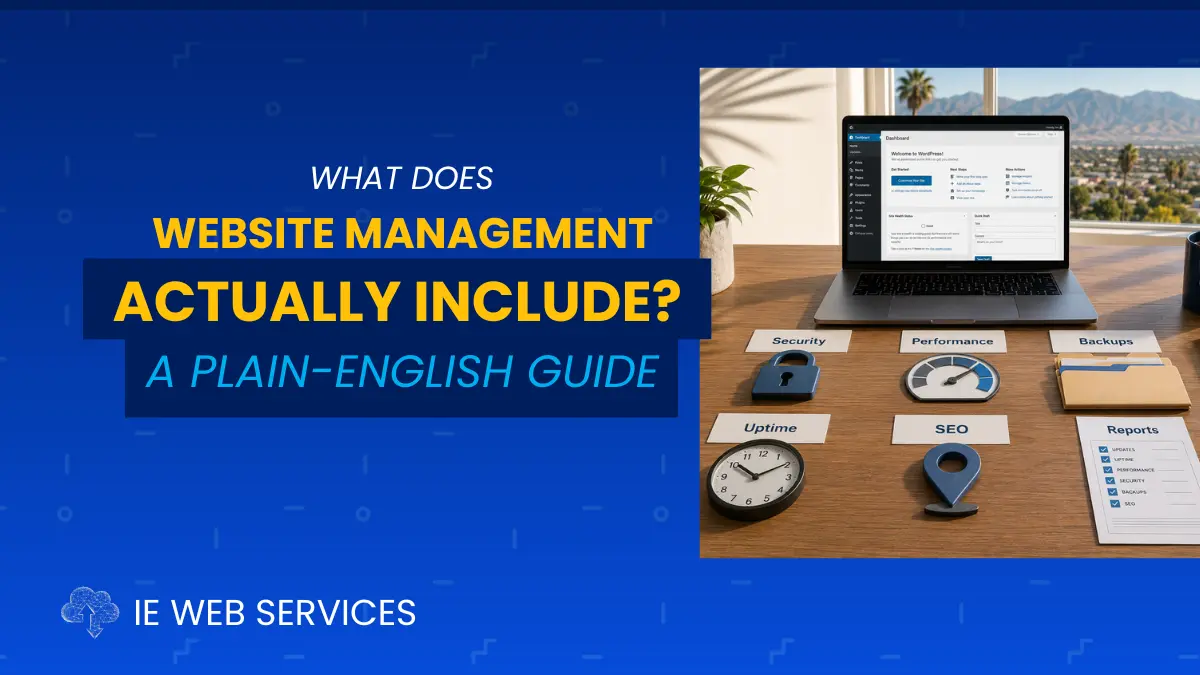
Website management is not a single task. It's a recurring set of responsibilities that covers six interconnected domains, each of which requires consistent attention to function correctly.
The rest of this guide explains each domain in plain English — what it includes, why it matters, and what happens when it's neglected.
The 6 Domains of Professional Website Management
Domain 1: Security and Software Updates
This is the foundation everything else rests on. A website that isn't actively maintained from a security standpoint is a website that is progressively becoming more vulnerable, regardless of how good it looks or how well it currently performs.
What it includes:
Plugin updates: WordPress plugins are third-party software that powers nearly every feature on your site, your contact form, your SEO settings, your security scanner, your booking system, your photo galleries. Plugin developers regularly release updates that include security patches, bug fixes, and compatibility improvements. These updates must be applied systematically, with a backup taken before each session, and each plugin updated individually with post-update testing to confirm the site functions correctly.
WordPress core updates: WordPress itself releases updates, both minor security/maintenance releases and major feature releases. These need to be applied on a professional schedule: minor updates promptly, major releases after a brief stability window while the community surfaces any early compatibility issues.
Theme updates: Your active theme and its parent theme receive updates that address security vulnerabilities and compatibility with newer WordPress versions. These require the same backup-first, test-after approach as plugin updates.
Security scanning: A weekly automated scan using a security plugin (Wordfence, Sucuri, or equivalent) checks for malware, unauthorized file changes, injected code, and known vulnerability patterns. The scan results require human review, a clean checkmark confirmation is not sufficient.
Critical patch response: When a security vulnerability is publicly disclosed for a plugin or theme on your site, the patch needs to be applied within 24–48 hours. Automated scanning bots begin sweeping vulnerable sites within hours of a public disclosure. Waiting for the next monthly maintenance cycle is not an acceptable response to a critical security patch.
User account review: Monthly verification that every WordPress user account is recognized and authorized. Hackers routinely create admin-level accounts during an intrusion to maintain persistent access. Former contractor accounts that are never removed are an ongoing security risk.
Why it matters:
Over 97% of WordPress hacks target plugin vulnerabilities. The average window between a vulnerability being publicly disclosed and active exploitation beginning is less than 72 hours. A site running outdated plugins is not a site at theoretical risk, it's a site at active, measurable, time-limited risk.
For Inland Empire businesses that use their website to handle customer contact information, booking data, payment processing, or any form of online transaction, a security breach is not just a technical problem. It's a potential legal liability, a customer trust crisis, and an expensive recovery project.
Domain 2: Performance and Speed Optimization
A website that was fast when it launched does not stay fast without active maintenance. Performance degrades as databases accumulate waste, plugins run older code, caches become stale, and new content is added without proper optimization.
What it includes:
Core Web Vitals monitoring: Google measures website performance using three specific metrics: Largest Contentful Paint (LCP), how quickly your main content loads; Interaction to Next Paint (INP), how quickly your site responds to user input; and Cumulative Layout Shift (CLS), how stable your layout is as it loads. These are direct Google ranking factors. Monthly monitoring tracks whether your site is passing Google's thresholds, and flags any declines that need investigation.
Page speed benchmarking: Running your homepage and top service or product pages through Google PageSpeed Insights on both mobile and desktop. Tracking scores month over month to identify trend directions before they become ranking problems.
Database optimization: WordPress databases accumulate waste over time — saved post revisions, expired transient records, spam comments, trashed content, orphaned metadata from deleted plugins. Monthly database optimization removes this accumulated waste and keeps query times fast.
Cache management: Caching plugins store static versions of your pages so they load faster for repeat visitors. Monthly cache clearing and rebuilding ensures visitors are always served current content at full speed, rather than stale cached files from previous versions of your pages.
Image optimization: Images added to the site after the initial build often arrive uncompressed, straight from a phone camera or desktop file at full resolution and file size. Monthly image audits identify and compress any unoptimized images before they compound into significant page load penalties.
Why it matters:
A one-second increase in page load time reduces conversions by 7%. Google's Core Web Vitals are direct ranking factors, sites failing these metrics rank lower in local search results than comparable sites that pass. For a Moreno Valley service business, a Temecula restaurant, or a Rancho Cucamonga contractor competing for local search traffic, a 20-position performance decline on mobile Core Web Vitals isn't abstract. It translates directly to fewer customers finding the business through organic search.
Domain 3: Backup and Disaster Recovery
The backup domain is the one most businesses discover they've been neglecting at the worst possible moment; when they actually need a backup and find out it doesn't exist, hasn't run recently, or doesn't work.
What it includes:
Automated regular backups: Complete backups of all WordPress files (themes, plugins, uploads, core installation) and a full database export. Frequency depends on how often the site changes; weekly is the minimum for most small business sites, daily for e-commerce or sites with frequent content updates.
Off-site storage: Backup files stored in a location separate from your hosting server. If your hosting server is compromised, infected, or suffers a hardware failure, a backup stored on the same server is worthless. Off-site storage options include Google Drive, Dropbox, Amazon S3, or a dedicated backup storage service.
Backup verification: Confirming that backups are actually completing successfully and that the backup files are intact. A backup notification that never shows a failure can be silently failing. Monthly verification confirms backups are running and files are valid.
Restore testing: At least quarterly, performing a full test restore to a staging environment to confirm that the backup files actually produce a complete, working copy of the site. A backup you've never tested is theoretical insurance. A tested backup is a verified recovery plan.
Retention policy: Maintaining multiple backup points, not just the most recent, so recovery is possible from any point within a reasonable window (30 days is a common standard).
Why it matters:
The scenarios where backups matter are not rare. Plugin conflicts after updates can corrupt sites instantly. Security breaches can require rollback to a clean pre-infection state. Hosting server failures, though uncommon with quality providers, do happen. Human error: accidentally deleting pages, overwriting content, or breaking layouts. These are the most common reasons a restore is used.
Without a verified, tested, off-site backup, any of these scenarios can mean partial or complete site loss. For a business whose website represents months of content investment and whose contact forms are its primary lead source, site loss is not a recoverable event without significant cost and time.
Domain 4: Uptime and Availability Monitoring
Your website needs to be working when customers try to use it. That sounds obvious. What's less obvious is that you have no way of knowing whether your site is up or down at any given moment unless you have monitoring in place.
What it includes:
24/7 automated uptime monitoring: A monitoring service (UptimeRobot, Pingdom, Freshping, or equivalent) pings your website every 1–5 minutes, 24 hours a day, 7 days a week. When the site fails to respond, an immediate alert goes to the management team.
Immediate outage response: When an outage alert fires, someone who knows your site investigates and resolves the issue. The response time commitment. How quickly someone is actually working on the problem is what separates meaningful uptime monitoring from having a service that just sends notifications.
Monthly uptime reporting: A record of your site's availability over the previous month, including any downtime events, their duration, and their cause.
SSL certificate monitoring: Your SSL certificate, the security credential that creates the "https" and padlock in your browser, has an expiration date. When it expires, every major browser shows visitors a full-page security warning. Uptime monitoring includes SSL expiration tracking and advance renewal notification.
Why it matters:
Without uptime monitoring, your site can be down for hours, or longer, before you find out. Most business owners discover site outages one of three ways: a customer calls to say the site is down, Google Search Console sends a crawl error alert (which can take days), or they happen to try to visit their own site. None of these are acceptable response mechanisms for a business that depends on its website for leads.
A two-hour outage during peak search hours on a weekday costs every lead that would have found you and couldn't reach you during that window. For high-traffic businesses in competitive IE markets, that's a real dollar cost attached to an avoidable problem.
Domain 5: Content Management and Local SEO Maintenance
A website that stops publishing new content and stops maintaining its local signals is a website that slowly loses ground in local search. Content management and local SEO are the ongoing activities that keep your site current and visible.
What it includes:
New content publishing: At minimum, one new blog post per month. Locally relevant, keyword-targeted, substantial enough to rank on its own. Each new post creates a new indexed page that can attract organic traffic for years. Over time, a consistent content calendar compounds into a significant organic search asset.
Existing content updates: Reviewing 2–3 existing pages or posts per month for outdated pricing, stale statistics, discontinued services, or content that no longer reflects the current business. Updating the content and the "last modified" date sends freshness signals to Google that the site is actively maintained.
Google Business Profile maintenance: Monthly updates to your Google Business Profile; new photos, regular posts, review responses, hours verification, service updates. Google Business Profile is now a primary local search ranking factor, often more influential than the website itself for local pack and Maps results.
Review monitoring and response: Monitoring new reviews across Google, Yelp, and relevant industry platforms. Responding professionally to every review, positive and negative, within a reasonable timeframe. Review response rate and recency are local ranking signals and conversion factors.
Local citation management: Quarterly verification that your business name, address, and phone number (NAP) are consistent across major citation sources: Yelp, Bing Places, Apple Maps, Facebook, Yellow Pages, and industry directories. NAP inconsistencies dilute local SEO signals.
Keyword ranking tracking: Monthly tracking of your primary local keyword positions; where you rank for "[service] [city]" searches to identify trends, confirm content impact, and catch ranking declines before they become traffic losses.
Why it matters:
For businesses in Riverside, San Bernardino, and surrounding IE communities competing for local search traffic, content and local SEO maintenance is where the organic growth work happens. Technical maintenance keeps the site healthy. Content and local SEO maintenance makes it more visible.
A competitor who publishes consistently, maintains their GBP, and tracks their rankings will steadily outrank a competitor who does neither, even if both sites are technically healthy. The compounding effect of consistent content over 12–24 months is one of the most reliable SEO advantages available to local businesses.
Domain 6: Analytics, Reporting, and Strategic Review
Professional website management doesn't just execute tasks. It measures outcomes, documents work performed, and uses data to inform decisions. This domain is what separates management from maintenance.
What it includes:
Monthly analytics review: Reviewing Google Analytics GA4 for traffic trends, top landing pages, traffic source breakdowns, bounce rate patterns, and conversion goal completions. Comparing month-over-month and year-over-year to identify meaningful trends. Flagging anomalies, sudden traffic drops, unusual bounce rate spikes, unexpected ranking changes, for investigation.
Monthly written report: A plain-English document delivered to the client every month summarizing: what work was performed, what issues were found and resolved, current performance metrics, keyword ranking status, and any recommendations for the coming month. This report is the accountability mechanism that distinguishes professional management from "trust us."
Google Search Console monitoring: Monthly review of Search Console for crawl errors, indexing issues, Core Web Vitals flags, security warnings, and manual actions. Google communicates directly with site owners through Search Console. These messages require human review to act on.
Strategic recommendations: Professional management isn't just task execution. It's pattern recognition over time, identifying when a site needs redesign, when a service page needs to be rebuilt, when a content strategy pivot would produce better results, when performance has improved enough to justify investing in the next layer of growth.
Why it matters:
Without reporting, website management is a black box. You're paying for work you can't verify, and you have no data to assess whether the work is producing results. Analytics and reporting are what make website management an accountable, measurable business investment rather than a recurring line item whose value you take on faith.
For an Inland Empire business owner who wants to know whether their website is generating leads, whether their content is ranking, and whether their management investment is producing a return, this domain is how those questions get answered.
What Professional Website Management Does NOT Include
Clarifying boundaries is as important as defining scope. Professional website management does not automatically include:
Major redesign or new development work. Management maintains existing functionality. Rebuilding pages, redesigning the site, adding new sections, or developing custom features are separate, quoted projects.
Paid advertising management. Google Ads, Facebook Ads, and other paid media campaigns are separate services from organic website management. (IE Web Services offers these as standalone services, but they're not included in Web CARE plans.)
Content writing. Management plans typically don't include writing new blog posts or website copy, that's a content production service. Some providers offer combined content + management plans; make sure you understand what's included in yours.
Photography or video production. Uploading client-provided photos or videos is typically included in management. Creating that media is not.
Third-party tool subscriptions. Premium plugin licenses, email marketing platform subscriptions, booking software fees, and similar third-party costs are separate from management fees unless explicitly stated.
Domain registration. Your domain (your web address) is typically registered and renewed separately from hosting and management.
Understanding these boundaries prevents the confusion Patricia experienced, where a broad service description left her with no clear picture of what she was actually receiving.
What Good Website Management Looks Like Month to Month
Here's a concrete picture of what a professional management service should be doing every month on your behalf:
Week 1:
Full site backup created and verified off-site
All pending plugin updates reviewed for security notices
Critical security patches applied within 24 hours of disclosure
Standard plugin updates applied one at a time with post-update testing
WordPress core and theme updated per schedule
Week 2:
Weekly security scan reviewed
Google Search Console checked for new errors or warnings
Core Web Vitals checked on mobile and desktop
Database optimized and cache cleared
Any anomalies from analytics reviewed
Week 3:
Contact forms tested end-to-end: submission confirmed to inbox
Mobile navigation tested on a real device
Business information verified for accuracy across the site
New images added during the month checked for compression
Uptime report reviewed
Week 4:
Google Business Profile reviewed and updated
New reviews responded to
Keyword ranking snapshot taken
Analytics reviewed month-over-month
Monthly report compiled and sent to client
This is 3–5 hours of actual work per month. Not nominal activity. Not automated scans running in the background with no human review. Documented, methodical work performed on a defined schedule by someone who knows your site.
Is Your Current Provider Actually Doing This? Self-Assessment
Use this to evaluate your current web services situation honestly:
Question | Yes | No | Not Sure |
|---|---|---|---|
I receive a written monthly report of work performed | ⬜ | ⬜ | ⬜ |
I know when my plugins were last updated | ⬜ | ⬜ | ⬜ |
I know my current WordPress core version | ⬜ | ⬜ | ⬜ |
I have a verified off-site backup from this week | ⬜ | ⬜ | ⬜ |
I know my mobile Core Web Vitals score | ⬜ | ⬜ | ⬜ |
My contact form was tested in the last 30 days | ⬜ | ⬜ | ⬜ |
I have uptime monitoring with 24/7 alerts active | ⬜ | ⬜ | ⬜ |
I know what my primary keyword rankings are right now | ⬜ | ⬜ | ⬜ |
My Google Business Profile was updated this month | ⬜ | ⬜ | ⬜ |
I can clearly explain what my monthly fee covers | ⬜ | ⬜ | ⬜ |
8–10 Yes: You have genuine professional management in place. The work is being done and documented.
5–7 Yes: Partial management. Some domains are covered, others aren't. The gaps represent real risk.
2–4 Yes: Significant gaps. Your site is likely running on hosting with minimal active management.
0–1 Yes: You're paying for hosting, not management. The exposure on your site is worth assessing immediately.
If you answered "Not Sure" to more than three items, that itself tells you something important. Professional management produces information you can verify. Vague service arrangements produce uncertainty.
Why "Hosting + Support" Is Not Website Management
This is the distinction that keeps showing up. In Patricia's story, in the self-assessment, in every conversation we have with new Inland Empire clients who've been paying for something that wasn't what they thought.
"Hosting and support" means:
Your site files live on a server ✓
Someone will respond if you submit a ticket ✓
"Website management" means:
Your site is actively maintained every month against a documented process ✓
Security is monitored and patches applied proactively ✓
Performance is benchmarked and optimized ✓
Backups are verified and tested ✓
Local SEO signals are maintained ✓
You receive a monthly report documenting all of it ✓
The gap between those two lists is where silent website problems live. Broken contact forms that go undetected for weeks. Plugin vulnerabilities that sit exposed for months. Performance scores that decline gradually until rankings drop. None of it dramatic. None of it obviously alarming. All of it expensive by the time it surfaces.
The monthly fee you pay for "web services" is either buying you active management with documented outcomes, or it's buying you server space and the assurance that someone might answer if you call with a problem. Knowing which one you have is the first step toward knowing what you actually need.
Frequently Asked Questions
Is website management the same as SEO? They overlap but are not the same. Website management covers the technical health, security, performance, and functionality of your site, the foundation that makes SEO work. SEO (Search Engine Optimization) is the strategic discipline of improving your rankings for specific keywords through content strategy, link building, technical optimization, and local signals. Professional website management includes local SEO maintenance tasks (GBP updates, citation management, keyword tracking) as part of ongoing upkeep. A dedicated SEO engagement goes deeper: keyword research, competitive analysis, content strategy, link building. It is typically a separate service. Think of management as keeping the engine healthy and SEO as tuning it for performance.
How is website management different from a website redesign? A redesign is a one-time project: rebuilding the visual design, information architecture, and often the underlying technology of a site. Website management is the ongoing operational service that keeps whatever site you have running correctly after it's built. You can have professional management without needing a redesign, and you can complete a redesign without professional management, though the latter is inadvisable. Many IE businesses need management, not redesign; others need both. A free professional assessment can tell you clearly which situation you're in.
What should a monthly website management report include? A professional monthly report should document: the date and results of the backup verification, a list of all plugins updated (by name and version), WordPress core and theme update status, security scan results with any findings noted, Core Web Vitals scores on mobile and desktop, contact form test confirmation, any errors or issues discovered and how they were resolved, keyword ranking snapshot, Google Business Profile activity, and any recommendations for the coming month. If your current provider's report is shorter than one paragraph, it is not a management report, it is a billing acknowledgment.
Do I need website management if my site is simple and low-traffic? Even simple sites benefit from security and backup management, these aren't complexity-dependent risks. A 5-page brochure site running outdated plugins is just as exploitable as a complex e-commerce site. That said, the scope and cost of management can reasonably scale with site complexity. A simple informational site requires less management time than a 50-page service site with booking functionality. The non-negotiables regardless of complexity: current software, verified backups, and uptime monitoring. Everything else scales with how much you depend on the site for revenue.
Can I handle some parts of website management myself and outsource the rest? Yes! This hybrid model works well for many Inland Empire business owners. The most effective division is typically: professional handles security, updates, backups, monitoring, and reporting (high-risk, time-sensitive, technical); owner handles content, photos, blog posts, and business information updates (content-focused, lower-risk). This gives you involvement in the parts of the site that reflect your business while removing the infrastructure risk from your plate. Any professional management provider worth working with will accommodate a hybrid arrangement.
How do I know if my current web service is actually management or just hosting? Ask your current provider to send you the last month's maintenance report. If they can't produce one, ask what specific tasks they performed on your site last month, with dates. If the answer is "we monitor it" or "we're always available if something comes up," you have hosting with support availability, not active management. Professional management is documented, proactive, and produces a paper trail. If that paper trail doesn't exist, the management doesn't exist.
IE Web Services Web Management: The Complete Picture
At IE Web Services, website management means all six domains (security, performance, backups, uptime, local SEO, and reporting) are handled systematically every month with documentation to prove it.
We've been doing this for Inland Empire businesses for over 20 years. We built our service model around the exact gap Patricia discovered: the difference between paying for hosting and actually having your website managed. Every client receives the full picture, documented monthly, with a named contact who knows their site.
Our Web CARE plans include:
✅ Pre-update full backups: off-site storage, verified before every session
✅ Plugin updates: one at a time, with post-update testing every month
✅ Critical security patches: applied within 24 hours of public disclosure
✅ WordPress core and theme updates: on a professional schedule
✅ Weekly security scanning: with immediate alert if anything is found
✅ Monthly Core Web Vitals benchmarking: mobile and desktop
✅ Database optimization and cache management: every cycle
✅ Contact form testing: submission confirmed to inbox every month
✅ Uptime monitoring: 24/7 automated, immediate outage alerts
✅ Google Search Console monitoring: errors caught before rankings drop
✅ Google Business Profile maintenance: photos, posts, review responses
✅ Monthly written report: plain English, specific, documented
✅ Named account contact: a real person, reachable directly
Beyond Web CARE, we connect management to local SEO strategy, data analytics, and full digital marketing services for businesses ready to grow beyond maintenance into active market expansion.
When Patricia asked us "what does website management actually include?" This is the answer she should have received on day one.
Get Your Free Website Assessment, Find Out What You're Actually Working With
If you finished reading this guide and started wondering which of these six domains your current provider is actually covering, a free assessment gives you specific, documented answers.
We review your site across every domain covered in this guide:
Current plugin, WordPress core, and theme version status
Security vulnerability scan across all installed software
Core Web Vitals and page speed scores on mobile and desktop
Backup configuration and last verified backup date
Uptime monitoring status
Google Search Console for active errors and warnings
Google Business Profile health
The assessment takes about 30 minutes. The report gives you a clear, honest picture of where your site actually stands, whether you're currently paying for management, planning to start, or just want to know what you have.
No obligation. No sales pitch. Just the information you need to make a clear-eyed decision.
Schedule Your Free Website Assessment →
Now you know what website management actually includes. The question is whether you're currently receiving it, and if not, what that gap is costing your business every month it goes unaddressed.
IE Web Services proudly serves businesses throughout the Inland Empire, including Riverside, San Bernardino, Corona, Ontario, Rancho Cucamonga, Fontana, Moreno Valley, Temecula, Murrieta, Redlands, Yucaipa, Beaumont, Banning, Hemet, Perris, Menifee, Lake Elsinore, Eastvale, Jurupa Valley, Norco, Chino, Chino Hills, Upland, and surrounding communities.
Sources: Google Search Central — Core Web Vitals | Wordfence WordPress Security Intelligence | Google Search Console Help Center | WPScan Vulnerability Database | Google Business Profile Help