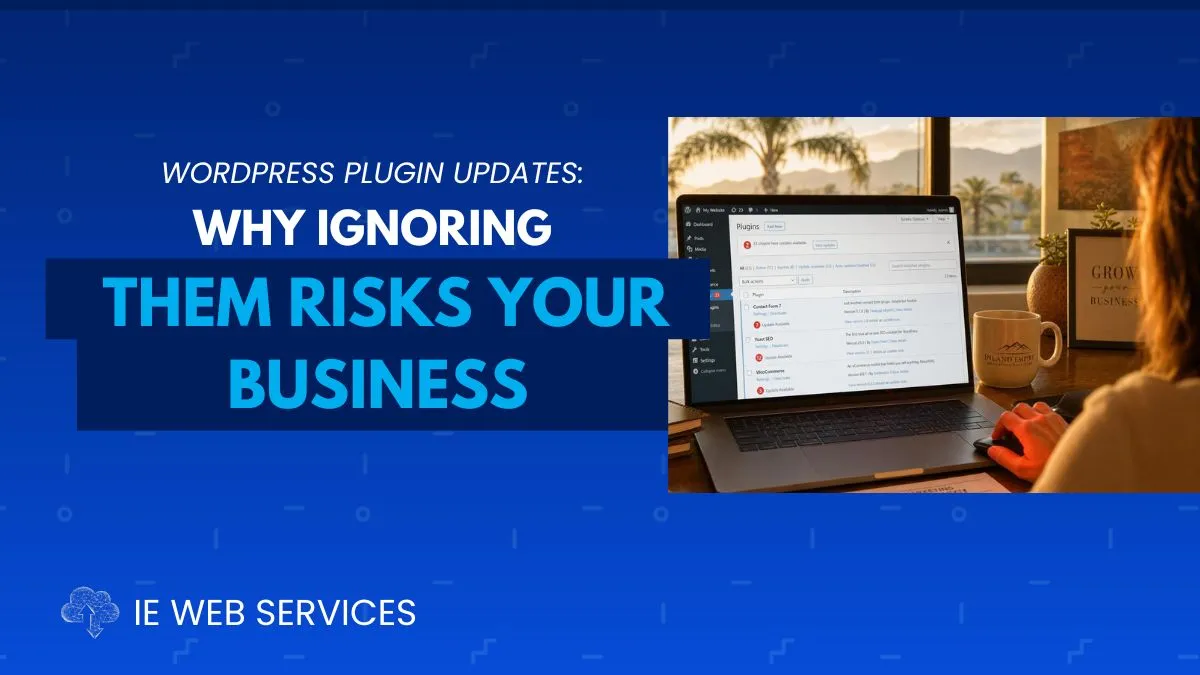
Those little red notification badges in your WordPress dashboard aren't annoying reminders.
They're warning lights and ignoring them has real consequences.
TL;DR:
Ignoring WordPress plugin updates is one of the biggest risks for Inland Empire small business websites. Outdated plugins are the #1 target for hackers (97% of attacks), often leading to hacks, site breakages, slower performance, lost Google rankings, broken features, and expensive recovery ($300–$1,500+).
The post explains why updates matter, the 5 key risks, how to update safely (backups + staging + one-at-a-time), prioritization guidance, and why professional Web CARE management is the smartest solution for busy local owners.
Bottom line: Those red notification badges aren’t annoyances, they’re warning lights. Update proactively or risk real business damage.
It's a Tuesday morning. You log into your WordPress dashboard to update a page on your website. There they are again, the same red circles with numbers you've been meaning to get to. Fourteen plugin updates. One theme update. One WordPress core update.
You're in the middle of three other things. The site looks fine. You'll deal with it this weekend.
You close the tab.
Meanwhile, 1,400 miles away in Eastern Europe, an automated script is scanning 4 million WordPress sites, including yours, looking for one specific vulnerability in a contact form plugin. A patch was released eight days ago. That patch is sitting in your update queue. Your site is still running the old version.
By Thursday, your website is quietly redirecting visitors to a pharmaceutical spam site. You find out Friday afternoon when a customer calls to ask why your website is "weird."
This isn't a hypothetical. This is the most common story we hear from businesses across Riverside, San Bernardino, Corona, Ontario, and the entire Inland Empire when they call us for emergency help. And it starts the same way every single time: with update notifications that were put off one too many times.
What WordPress Plugins Actually Are, And Why Updates Can't Wait
Before we get into the risks, let's make sure we're on the same page about what plugins are and why they demand ongoing attention.
Plugins Power Nearly Everything on Your Website
WordPress by itself is a fairly simple content management system. Plugins are the add-ons that give your website most of its functionality. Nearly every visible feature on a typical business website comes from a plugin:
Feature | Powered By |
|---|---|
Contact forms | Contact Form 7, Gravity Forms, WPForms |
SEO optimization | Yoast SEO, Rank Math, All in One SEO |
Security | Wordfence, Sucuri, iThemes Security |
Daily backups | UpdraftPlus, BackupBuddy |
Performance/caching | WP Rocket, LiteSpeed Cache |
E-commerce | WooCommerce |
Booking/scheduling | Various booking plugins |
Analytics | MonsterInsights, GA4 plugins |
The average small business WordPress website runs 18–27 active plugins. Each one is software built by a third party, often a small team or a single developer. Each one interacts with WordPress core, your theme, and every other plugin installed. And each one requires consistent maintenance.
Why Updates Are Released
Plugin developers release updates for several reasons:
Security patches: A vulnerability is discovered and closed. These are the critical ones.
Bug fixes: Known issues that affect functionality are resolved.
Compatibility updates: Adjustments for new WordPress or PHP versions.
Performance improvements: Code optimizations that help your site run faster.
New features: Added capabilities for users.
Here's the problem: to you, sitting in your dashboard, all update notifications look identical. That red badge doesn't tell you whether you're looking at a minor feature tweak or a critical security patch that hackers are already actively exploiting.
That's exactly what makes ignoring them so dangerous.
The 5 Real Risks of Ignoring Plugin Updates
Risk 1: Security Vulnerabilities Hackers Are Already Exploiting
This is the one that ends businesses. Everything else on this list matters, but this one is different.
Here's the attack sequence that plays out thousands of times every week:
A security researcher discovers a vulnerability in a popular WordPress plugin
They responsibly disclose it to the plugin developer
The developer releases a patch, the update notification appears in your dashboard
The vulnerability is publicly documented in security databases
Automated scanning tools immediately begin sweeping millions of WordPress sites
Sites still running the old version are flagged and targeted
Hackers gain entry, often within 72 hours of step 3
You don't need to be specifically targeted. You just need to be unpatched when the bots sweep through.
The numbers make this impossible to ignore:
97% of WordPress attacks target plugins, not the core software
Over 90% of hacked WordPress sites had outdated plugins at the time of compromise
The window between "patch released" and "active exploitation underway" is often less than 72 hours
What Hackers Do Once They're In:
Install backdoors to maintain access even after cleanup
Redirect your visitors to spam, pharmaceutical, or adult sites
Steal customer contact and payment information
Use your server to send mass spam email campaigns
Plant malware that infects your visitors' computers
Inject hidden spam links that destroy your SEO rankings
Hold your site for ransom
The Cost of Recovery:
Getting professionally cleaned after a plugin-based hack typically runs $300–$1,500 for most small business sites. Complex infections climb higher. That's before accounting for downtime revenue loss, Google ranking recovery (which can take months), and the customer trust damage that's nearly impossible to quantify.
Risk 2: Your Website Breaks, Sometimes Completely
The second risk of not updating is counterintuitive: your site can break specifically because you didn't update.
WordPress releases major updates regularly. When WordPress updates, some older plugins stop working correctly, or stop working entirely, because they were coded for a previous version. The same applies to PHP, the programming language WordPress runs on. When your hosting server upgrades its PHP version, outdated plugins can throw fatal errors without warning.
Real Scenarios That Break Sites:
WordPress releases a major update → an unpatched plugin throws a critical error → your entire site goes white screen
Your host upgrades PHP → an outdated plugin is incompatible → your checkout process stops working
Two outdated plugins that co-existed fine for years suddenly develop a conflict
A plugin's developer pushes an emergency fix that only applies to the current version, older installs don't get it
The Cascading Effect:
A single broken plugin can bring down an entire WordPress site. We've seen contact forms silently stop delivering leads, e-commerce checkouts fail mid-purchase, entire homepages go blank, and admin dashboards become completely inaccessible, all traced back to one plugin running an outdated version.
For Inland Empire businesses running booking systems, contact forms, or online stores, this isn't a technical inconvenience. It's immediate, measurable lost revenue.
Risk 3: Declining Performance and Google Rankings
Outdated plugins make your website measurably slower, and a slower website means lower Google rankings and fewer conversions.
Plugin developers routinely include performance improvements in updates: leaner code, more efficient database queries, better resource loading. An outdated plugin running old code is typically slower than its current counterpart. Multiply that drag across 20+ plugins running outdated versions, and the performance impact becomes significant.
The Direct Connection to Rankings:
Google's Core Web Vitals, Largest Contentful Paint (LCP), Interaction to Next Paint (INP), and Cumulative Layout Shift (CLS), are direct ranking factors. Slow, bloated plugin code contributes to failing these metrics. When your competitors are running current, optimized plugins and you're running 2023 versions, that performance gap shows up in search rankings.
The Revenue Feedback Loop:
Every second of additional load time reduces conversions by 7%. That compounding effect hits hard:
Slower site → Higher bounce rate
Higher bounce rate → Lower engagement signals sent to Google
Weaker engagement signals → Lower search rankings
Lower rankings → Less organic traffic
Less traffic → Fewer leads and sales
All of it, from clicking "Remind me later" one too many times.
Risk 4: Lost Features, Broken Integrations, and Compliance Gaps
Outdated plugins mean outdated functionality, and sometimes, silently broken integrations your business depends on.
When you skip updates, you're not just deferring security patches. You're missing:
Payment processor integration updates (Stripe, Square, PayPal change their APIs regularly)
Improved mobile experience on booking or checkout tools
Email marketing platform sync fixes (Mailchimp, Constant Contact)
California-specific compliance updates, CCPA requirements evolve, and plugin developers push compliance patches
ADA accessibility improvements that reduce legal exposure
Anti-spam improvements that reduce fake form submissions
Better reporting and analytics accuracy
A Real Example from the IE:
A bakery in Rancho Cucamonga ran an outdated WooCommerce installation for 18 months. During that time, a payment processor API changed in a way that caused intermittent checkout failures on the old version. Customers who couldn't complete purchases simply abandoned and went elsewhere. No error message. No notification. Just silent, invisible lost sales, discovered only when a loyal customer mentioned it in person. The fix was a plugin update that had been available for over a year.
Risk 5: Loss of Support When You Need It Most
When you run significantly outdated plugins, you lose developer support, right when you're dealing with a crisis.
Most plugin support documentation and forums specify supported versions. If you're running a plugin that's several major versions behind, the response to your support ticket is almost always: "Please update to the current version first."
In a crisis, site down, checkout broken, hack suspected, that response costs you hours you don't have. You're forced to update under pressure, without your normal testing protocol, on a broken site, while customers are affected.
Professional maintenance eliminates this scenario. Updates happen proactively, methodically, and safely, not reactively and desperately.
"But What If an Update Breaks My Site?"
This is the most common concern we hear from Inland Empire business owners, and it's a legitimate one. Updates can occasionally cause issues. We won't pretend otherwise.
But here's the context that almost always gets left out of that concern:
The Risk Is Real, But Highly Manageable
Plugin developers test updates before release. For well-maintained, widely-used plugins, major breakage from updates is relatively rare. The far more common cause of broken WordPress sites is actually the opposite: old plugins conflicting with newer versions of WordPress, PHP, or each other.
The Risk Asymmetry Is Clear
Scenario | Likelihood | Cost to Fix |
|---|---|---|
Update causes minor visual issue | Low | $50–$200 |
Update causes functionality break | Very Low | $100–$400 |
Outdated plugin exploited by hackers | High (especially for popular plugins) | $300–$1,500+ |
Outdated plugin breaks from WP/PHP update | Medium | $200–$800 |
Outdated plugins cause gradual SEO decay | Ongoing | Lost customers monthly |
The risk of updating is real but small and fixable. The risk of not updating is higher, the consequences are worse, and the problems are often discovered much later, after significant damage has already occurred.
The Answer Isn't "Don't Update"! It's "Update Safely".
There's a professional process for plugin updates that virtually eliminates the risk of breakage:
Step 1: Back up first, always. Before any update session, create a complete backup of your site files and database. If anything goes wrong, you restore in minutes. Non-negotiable.
Step 2: Update one plugin at a time. Never click "Update All" and walk away. Update one plugin, verify the site works correctly, then move to the next. If something breaks, you know exactly which plugin caused it.
Step 3: Test critical functionality after each update. Check your contact forms, navigation, checkout process, booking system, and homepage after every individual update.
Step 4: Use a staging environment for major updates. A staging site, a copy of your live site where you can test safely, is the right approach for major WordPress core updates or significant plugin version jumps.
Step 5: Update during low-traffic hours. If something does go briefly wrong, you want as few customers affected as possible. Early morning works best for most IE businesses.
This is exactly the process professional website management services follow, every single update cycle, consistently, without exception.
Plugin Update Priority Guide
Not all updates carry equal urgency. Here's how to prioritize:
Priority 1: Critical Security Patches | Update Within 24–48 Hours
How to identify them: The update description or changelog mentions "security fix," "vulnerability," "critical patch," or a CVE number. Security news sources like Wordfence or Patchstack flagged the plugin. Your security plugin sent an alert.
High-risk plugin categories to watch closely:
Contact form plugins (high attack surface due to user input handling)
SEO plugins (extensive database access)
E-commerce plugins (payment and customer data handling)
Page builders (complex, widely deployed, highly targeted)
Login and security plugins (yes, even these have vulnerabilities)
Priority 2: WordPress Core Updates | Within One Week
Approach: Minor WordPress updates (6.5.1, 6.5.2) should be applied within a week. For major releases (6.5, 6.6), wait 3–5 days after launch for the community to surface any early compatibility issues, then apply.
Priority 3: All Remaining Plugin Updates | Monthly
Approach: Every other plugin update that doesn't fall into Priority 1 should be applied on a consistent monthly schedule. Set a calendar reminder. Make it a non-negotiable business task.
Priority 4: Inactive Plugin Audit | Quarterly
Here's a risk many business owners don't think about: deactivated plugins still present security risks.
An inactive plugin with a vulnerability can still be exploited. Attackers scan for vulnerable files on your server regardless of whether the plugin is activated. The only truly safe inactive plugin is one that's been completely deleted.
Quarterly Audit Checklist:
☐ List every installed plugin, active AND inactive
☐ Delete anything you don't actively use (don't just deactivate)
☐ Research any plugin you don't recognize, hackers sometimes install plugins as backdoors
☐ Check the update history of every active plugin, if it hasn't been updated in 2+ years, find a replacement
☐ Verify each plugin is still being actively maintained by its developer
Is Your Website's Plugin Maintenance Current?
Take 60 seconds and assess where your site actually stands:
Question | Yes | No |
|---|---|---|
Are all your plugins updated within the last 30 days? | ⬜ | ⬜ |
Is your WordPress core on the current version? | ⬜ | ⬜ |
Do you have a full backup from this week? | ⬜ | ⬜ |
Have you deleted all plugins you don't actively use? | ⬜ | ⬜ |
Are all your active plugins still actively maintained? | ⬜ | ⬜ |
Did you test your contact form in the last 30 days? | ⬜ | ⬜ |
Has your site been scanned for malware recently? | ⬜ | ⬜ |
Scoring:
6–7 Yes: Strong maintenance posture, keep it up
4–5 Yes: Gaps exist that need to be addressed soon
2–3 Yes: Real risk exposure, your site needs attention now
0–1 Yes: Critical, every week you wait compounds the risk
Warning Signs a Specific Plugin Is a Security Risk
Not all plugins are equal in risk. These red flags indicate a plugin may be dangerous regardless of update status:
🚩 Plugin Hasn't Been Updated in 2+ Years
Where to check: The plugin's WordPress.org page shows "Last updated: X years ago"
Why it matters: An abandoned plugin gets no security patches. As WordPress evolves and new vulnerabilities are discovered, unmaintained plugins become permanently dangerous and should be replaced with an actively maintained alternative.
🚩 Plugin Was Downloaded from an Unofficial Third-Party Site
Why it matters: "Nulled" plugins, premium plugins distributed for free from unofficial sources, are one of the most common malware delivery methods for WordPress sites. They frequently contain injected code that creates backdoors, sends spam, or steals data.
Rule: Only install plugins from WordPress.org or directly from the verified developer's official website. Never from random download sites, regardless of how legitimate they appear.
🚩 Plugin Has Very Low Install Count for Complex Functionality
Why it matters: Widely adopted plugins receive more security scrutiny, faster vulnerability reporting, and quicker patch releases. A plugin with 300 installs doing something complex carries more inherent risk than one with 3 million installs doing the same thing.
🚩 Plugin Has Many Unresolved Support Issues or Poor Ratings
Where to check: The WordPress.org plugin page support forum and ratings section
Why it matters: Active, unresolved support issues and poor ratings often signal underlying quality control problems that extend to security practices.
The True Cost of Neglected Website Maintenance
Let's put the full picture together. Plugins are one component, but neglected maintenance creates compounding risk across every layer of your website.
The Maintenance Debt Calculator
Neglected Area | Annual Risk Cost |
|---|---|
Outdated plugins (security breach) | $300–$1,500 hack recovery |
Outdated WordPress core | $200–$800 vulnerability recovery |
No backup system | $2,000–$15,000 rebuild cost |
Performance decay from old code | $1,000–$5,000 in lost conversions |
Broken functionality (undetected) | $500–$3,000 in missed leads |
SEO decline from technical issues | $2,000–$10,000 in lost rankings |
Total Annual Risk Exposure | $6,000–$35,300 |
Professional website maintenance: $99–$299/month = $1,188–$3,588/year
For Inland Empire businesses competing for local customers in Riverside, San Bernardino, Corona, Ontario, Temecula, and beyond, the cost of neglect is not a hypothetical. It's a predictable outcome. The only variable is timing.
DIY Plugin Management vs. Professional Maintenance
Managing Updates Yourself
This is entirely possible if you commit to it consistently. Here's what's required:
Tools you'll need:
A reliable backup plugin (UpdraftPlus free tier or BackupBuddy)
A staging environment (many hosts include this)
A security scanner (Wordfence free tier)
Calendar reminders set to repeat monthly
Realistic time investment:
Weekly security check: 10–15 minutes
Monthly full update session: 1–2 hours
Quarterly plugin audit: 2–3 hours
Total annual time: 25–40 hours
The honest challenge: Consistency is everything. One missed month isn't catastrophic. Two or three starts creating meaningful risk. Six months of ignored updates is when we typically get the emergency call from an IE business owner who now needs everything fixed under pressure.
The question isn't whether you can do it. It's whether you will, reliably, every single month, including your busiest season.
Professional Website Maintenance
A professional management service handles everything on the schedule above automatically, without requiring your time or attention. Every update is made with a backup taken first. Every critical security patch is applied within 24 hours of release. Every update is tested before it's deployed.
You get monthly reports showing exactly what was done. You get someone to call when something breaks. And you get the peace of mind that comes from never having to wonder whether your plugins are current.
For most Inland Empire business owners running a service business, retail operation, restaurant, or professional practice, this is simply the better use of time and resources.
Frequently Asked Questions
How do I know if a WordPress plugin has a security vulnerability? Check the WPScan Vulnerability Database or follow WordPress security sources like the Wordfence Blog or Patchstack Advisory Database. If you have Wordfence installed, it will alert you directly when a vulnerable plugin is detected on your site. Update changelogs that mention "security fix," "patch," or a CVE number are also clear signals.
Is it safe to use the "Update All" button in WordPress? Not without preparation. Updating everything at once makes it impossible to isolate which update caused a problem if something breaks. The professional approach is to back up first, then update one plugin at a time, checking your site after each one.
My site is on a page builder, do those need updates too? Yes! They're especially important. Page builders like Elementor, Divi, and Beaver Builder are large, complex plugins with extensive codebases. They're frequent vulnerability targets and require the same update discipline as any other plugin, including backup before update and thorough testing after.
What if I'm using a premium plugin I paid for, does it still need updates? Absolutely. Premium plugins need updates just as urgently as free ones. Sometimes more so, since they often handle payment processing, booking data, or other sensitive functions. Most premium plugins include automatic update options through your license key, or require manual download from the developer's dashboard.
How do I find out if my site was already hacked through an outdated plugin? Run a free scan at Sucuri SiteCheck and check Google Search Console for any security warnings. In WordPress, review your user accounts for anyone you don't recognize, check recently modified files in your hosting file manager, and look for any pages or posts you didn't create. If you find anything suspicious, stop and contact a professional immediately.
Can I just set plugins to auto-update and forget about it? WordPress offers auto-updates for plugins, and for many sites, enabling them for minor updates is reasonable. However, auto-updates without a backup system in place is risky, if an auto-update causes a conflict, you need a clean restore point. For major plugin updates, auto-updates are not recommended without staging environment testing first.
IE Web Services Web CARE Plans: Maintenance Done Right
At IE Web Services, we've been maintaining WordPress websites for Inland Empire businesses for over 20 years. We've seen firsthand what neglected maintenance costs and what consistent, professional maintenance prevents.
Our Web CARE plans take plugin updates and all website maintenance completely off your plate:
What We Handle | Every Month, Every Site
✅ Critical security updates: Applied within 24 hours of public disclosure
✅ Monthly plugin updates: Every plugin updated with a backup taken first
✅ WordPress core updates: Applied after stability confirmation
✅ Pre-update full backups: Complete site backup before every update cycle
✅ Post-update testing: We verify your site works after every update
✅ Weekly security scanning: Malware and vulnerability detection
✅ Performance monitoring: Speed and Core Web Vitals tracked monthly
✅ Database maintenance: Regular cleanup and optimization
✅ Monthly health report: Plain-English summary of everything done
✅ Priority support: Real people, fast response, no ticket queues
Our Update Process | Every Time
We don't batch up months of skipped updates and apply them under pressure. We don't wait until something breaks. We follow a systematic, documented protocol: backup, update one at a time, test, verify, report. We do this every single month, for every single site we manage.
Because that red notification badge in your WordPress dashboard isn't just a number. It's a risk that compounds every day you leave it there.
Get Your Free Website Maintenance Assessment
Not sure how your site is holding up? Let us take a look.
We'll review:
Current plugin versions compared to latest available releases
Security vulnerability status across all installed plugins
WordPress core version and update status
Backup configuration and last verified backup date
Performance metrics and Core Web Vitals scores
Any existing security warnings or flags
No charge. No obligation. Just honest, specific information about where your website stands, and what needs attention.
Maintenance isn't glamorous. It doesn't make great before-and-after photos. But it's the work that keeps your website secure, performing at its best, and reliably generating business, month after month, year after year. It's the work that means you never have to make the emergency call.
IE Web Services proudly serves businesses throughout the Inland Empire, including Riverside, San Bernardino, Corona, Ontario, Rancho Cucamonga, Fontana, Moreno Valley, Temecula, Murrieta, Redlands, Beaumont, Banning, Hemet, Perris, Menifee, Lake Elsinore, Eastvale, Jurupa Valley, Norco, Chino, Chino Hills, Upland, and surrounding communities.
Sources: WPScan Vulnerability Database | Wordfence WordPress Security Blog | Google Core Web Vitals | Verizon Data Breach Investigations Report