
Not every company that calls itself a web services provider is actually managing your website.
Here's how to tell the difference, before you sign anything.
Sandra owns a medical spa in Redlands. Three years ago, she hired a web company based on a referral from a friend. They built her a beautiful site, collected their check, and gave her a login and a handshake.
For the first year, things seemed fine. Then slowly, almost imperceptibly, her website started falling behind. Competitors' sites loaded faster. Her Google rankings for "medical spa Redlands" slipped from page one to page two, then deeper. Her contact form stopped working for three weeks before a patient mentioned it in the office. Plugin update notifications piled up in her dashboard and she didn't know what they were, so she ignored them.
By the time Sandra called us, her site had been running on an unpatched plugin with a known vulnerability for seven months. She'd missed an estimated 40–60 inquiries due to the broken contact form. Her Google rankings for her primary keywords had dropped by an average of 11 positions. And she had a contract with her original web company that she was still paying $150/month for a contract that, when we asked exactly what was included, neither she nor her web company could clearly define.
Sandra's story is not unusual. In our 20+ years serving Inland Empire businesses, it's one of the most common situations we encounter. And almost every time, it starts the same way: a business owner hired a web company without knowing the right questions to ask.
This guide exists to fix that. Whether you're choosing a web management company for the first time, reconsidering a provider you're not sure about, or evaluating us alongside our competitors; these are the questions, criteria, and red flags that actually matter.
Why Choosing the Right Web Management Company Is a Business Decision, Not a Technical One
Before we get into evaluation criteria, let's reframe what you're actually buying.
When you hire a website management company, you're not just purchasing a technical service. You're making a decision that affects:
How many customers can find your business on Google
How many of those customers convert when they reach your site
Whether your business information and customer data are secure
How quickly problems get resolved when something breaks
Whether someone is proactively watching your site or only showing up when you call with a crisis
A website that performs well is a revenue-generating asset. A website that isn't being properly managed is a liability. One that erodes slowly and quietly until the damage is hard to ignore.
The company you choose determines which of those two things your website becomes. That makes this a business decision, not a vendor selection.
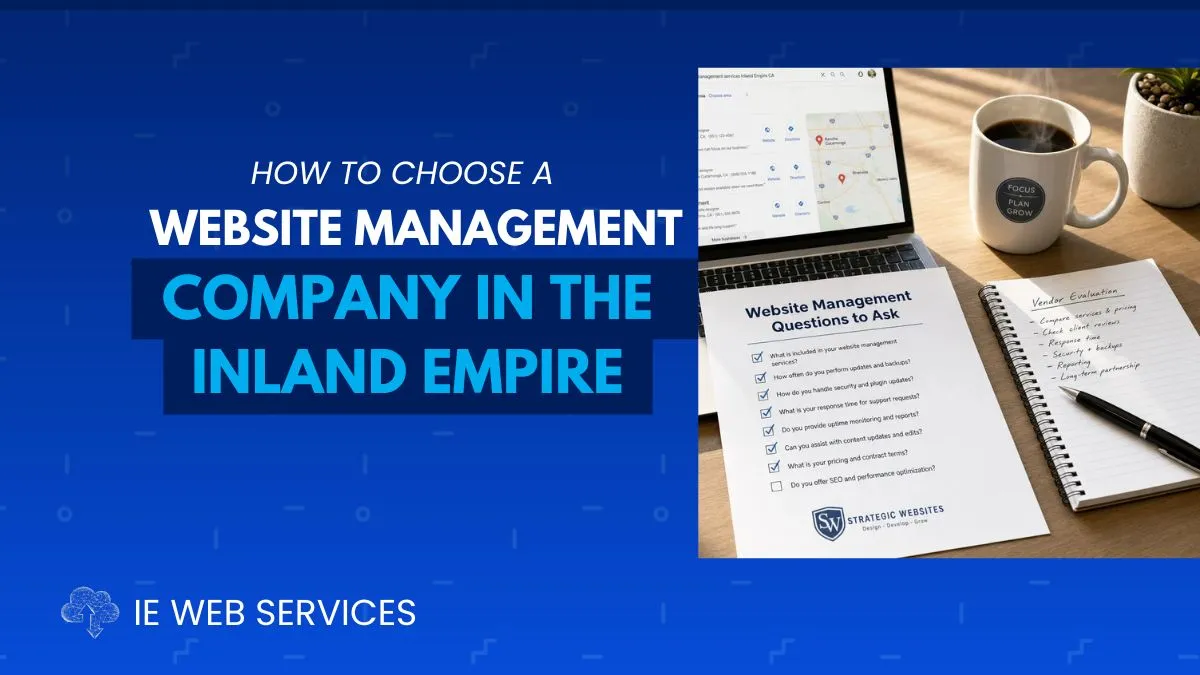
The 8 Questions to Ask Before Hiring Any Web Management Company
These questions separate professional web management providers from companies that build sites and disappear. Ask every candidate the same questions. Compare the answers.
Question 1: "What exactly is included in your monthly fee, in writing?"
What a good answer looks like: A specific, documented list of deliverables. Ideally a one-page service summary or contract addendum that spells out: what updates are performed, on what schedule, with what documented process, including what reporting you receive.
What a red flag answer looks like: "We handle everything." "You can always call us." "We keep an eye on things." "It includes hosting and support."
Vague answers mean vague service. If a company can't clearly articulate what they do every month, they probably aren't doing very much every month. Get it in writing before you sign anything.
Why this matters: Sandra's provider had a contract. It said "monthly maintenance and support." It did not define what maintenance meant or what support included. That ambiguity cost her three years of substandard service with no clear grounds for recourse.
Question 2: "How do you handle plugin and WordPress core updates? What's your process?"
What a good answer looks like: "We create a full backup before every update session. We update plugins one at a time and verify the site is functioning after each one. Critical security patches are applied within 24–48 hours of public release, regardless of our regular schedule."
What a red flag answer looks like: "Updates are included in your plan." "We use auto-updates." "We update everything monthly." (with no mention of backups or testing)
Why this matters: "We handle updates" and "we update safely with backups and testing" are completely different things. Auto-updates without a backup protocol mean a failed update can take your site offline at 2 a.m. with no recovery point. Ask specifically about the process — not just whether it's done.
Question 3: "What happens if my website gets hacked? What's your response protocol?"
What a good answer looks like: "We scan for malware weekly. If something is detected, we notify you immediately and begin remediation within [X hours]. We restore from a clean backup and document what was found and fixed. The remediation is included in your plan [or costs X]."
What a red flag answer looks like: "That's never happened to our clients." "We'd figure it out." "We'd refer you to your hosting company." Silence or confusion.
Why this matters: Every provider should have a clear, tested protocol for hack response. A company that has never thought through this scenario hasn't been managing websites long enough, or seriously enough, to be trusted with yours. The Inland Empire's growing business landscape makes local sites increasingly attractive targets, particularly as more businesses process payments and customer data online.
Question 4: "Can you show me an example of a monthly report you provide to clients?"
What a good answer looks like: A sample report, even a redacted one, showing what was backed up, what was updated, what the security scan found, performance metrics, and any issues that required attention.
What a red flag answer looks like: "We don't do formal reports, we just keep your site running." "You can log into your dashboard and check." "We'll let you know if something needs attention."
Why this matters: Monthly reporting is the accountability mechanism of professional web management. Without it, you have no way to verify that the work you're paying for is actually being done. A company that can't show you a sample report either isn't doing the work systematically or doesn't want you to know what they're (not) doing.
Question 5: "Who specifically will be managing my account and how do I reach them?"
What a good answer looks like: A named person or small team. A direct email or phone number. A defined response time commitment, "we respond to support requests within 4 business hours" or similar.
What a red flag answer looks like: "Our team handles all client accounts." "Just submit a ticket." "Someone will be in touch." An offshore team with no local knowledge. A rotating cast of contractors with no named contact.
Why this matters: When something goes wrong with your website, and at some point, something will, you need to know who to call and how quickly they'll pick up. Faceless support ticket systems are fine for large corporations with IT departments. For an Inland Empire small business where your website is your primary lead source, you need a real person who knows your site.
Question 6: "Do you have experience with businesses in my industry or local market?"
What a good answer looks like: Examples of similar clients: service businesses, medical practices, restaurants, contractors, retailers, professional services. Ideally these client sites are in the Inland Empire or Southern California. Specific understanding of local search behavior and competition.
What a red flag answer looks like: "We work with all types of businesses." No local references. No knowledge of IE-specific search dynamics (the competitive landscape between Riverside and San Bernardino Counties is different from Los Angeles or San Diego).
Why this matters: Local search optimization for a plumbing company in Temecula is different from SEO for a national e-commerce brand. A company that understands the Inland Empire market, the competitive keywords, the local directory landscape, the geographic nuances between cities, will produce better local search results than a generalist provider working from a template.
Question 7: "What does your onboarding process look like? How do you document my existing site before making changes?"
What a good answer looks like: "We start with a full audit of your current site: plugins, performance, security status, backup configuration, Google Analytics setup, Search Console connections. We document everything before we touch anything. Then we present our findings and proposed approach."
What a red flag answer looks like: "We'll get you set up pretty quickly." "We just need your login." No mention of documentation, baseline assessment, or discovery process.
Why this matters: A professional provider needs to understand your site before managing it. Jumping straight into changes without documentation is how conflicts get created "we didn't break that, it was already broken" becomes impossible to verify. A thorough onboarding audit also tells you immediately how knowledgeable and organized a provider actually is.
Question 8: "Are there any long-term contracts and what are the cancellation terms?"
What a good answer looks like: Month-to-month service with reasonable notice for cancellation. Or, if a contract exists, clear terms with defined deliverables on both sides and fair exit clauses.
What a red flag answer looks like: 12-month commitments with large cancellation fees before you've established whether the service actually delivers value. Vague contract language. Ownership of your domain or website files tied to the contract.
Why this matters: Legitimate web management providers are confident enough in their work to earn your continued business month after month. Extended lock-in contracts with punishing exit terms are a structural way to retain clients who would otherwise leave, which tells you something about what the service experience looks like in practice.
7 Red Flags That Signal the Wrong Provider
Beyond the questions above, watch for these patterns during your evaluation:
🚩 Red Flag 1: They Own Your Domain
What to look for: The domain was registered in the company's name, not yours. You don't have login access to your own domain registrar account.
Why it matters: If you ever want to leave this provider, they can hold your domain, your business's web address, hostage. Your domain should always be registered in your name, in an account only you control. Always.
🚩 Red Flag 2: You Don't Have Access to Your Own Website
What to look for: You can't log into your WordPress dashboard. You don't have hosting account access. You've been told "you don't need to worry about that."
Why it matters: It's your website. You should have full administrative access to every account associated with it: hosting, domain, WordPress, Google Analytics, Google Search Console; even if you never log in. A provider that withholds access is creating dependency by design, not serving your interests.
🚩 Red Flag 3: Pricing That Seems Too Low to Be Real
What to look for: Monthly management for $19, $29, or $49/month. "Full-service" packages at prices that don't account for the labor involved in actually doing the work.
Why it matters: Professional website management. Backups, updates with testing, security scanning, monitoring, reporting, and support requires real human time every month. If the price doesn't reflect that, either the work isn't being done or it's being done poorly. False economy in web management has a predictable endpoint: the moment something goes wrong and no one is actually managing your site.
🚩 Red Flag 4: No Local Presence or Knowledge
What to look for: Company is based in another state or country with no local team. No knowledge of Inland Empire cities, local search dynamics, or regional competition. Unable to meet in person if needed.
Why it matters: For local SEO, which is how most IE small businesses generate organic leads, local context matters. A provider who knows the difference between Riverside, Corona, and Norco in terms of search competition, local directories, and business landscape will produce better local results than one working from a template applied to every market they serve.
🚩 Red Flag 5: They Can't Explain What They Do in Plain English
What to look for: Responses full of technical jargon with no plain-English explanation. Inability to answer "what does that mean for my business?" Deflection when you ask for specifics.
Why it matters: Good web professionals can explain complex concepts clearly. If a company can't explain what they do or why it matters in terms you understand, they either don't fully understand it themselves or they're counting on your confusion to avoid accountability.
🚩 Red Flag 6: No References from Similar Local Businesses
What to look for: Unable or unwilling to provide client references. References are all from businesses very different from yours. No local clients in the Inland Empire.
Why it matters: Results in similar industries and markets are the most relevant evidence of what a provider can do for you. If a company manages retail e-commerce sites but has never worked with a service business in Riverside, their track record doesn't directly translate. Ask for references and actually call them.
🚩 Red Flag 7: They Promise Guaranteed #1 Google Rankings
What to look for: Any company that guarantees specific search ranking positions. "We'll get you to #1 on Google." Contracts tied to ranking outcomes with no explanation of methodology.
Why it matters: No legitimate SEO or web management provider can guarantee specific rankings. Google's algorithms are not for sale. Companies making these promises are either misleading you about what they can deliver or using black-hat tactics that can result in Google penalties that are far worse than low rankings. Legitimate providers can deliver measurable, documented progress, not guaranteed positions.
What Professional Web Management Actually Includes
Once you know what to avoid, it helps to know what legitimate, professional web management looks like. Here is the standard that serious providers hold themselves to:
Security & Updates
What it includes: Pre-update backups before every session. Plugin updates applied one at a time with post-update testing. Critical security patches applied within 24–48 hours of public disclosure. Monthly WordPress core updates on a professional schedule. Weekly automated security scanning. Immediate malware notification and remediation protocol.
Why it matters: Security is the foundation. A provider who doesn't have a documented, backup-first update protocol is not managing your website, they're reacting to it. For Inland Empire businesses handling customer contact information, appointment bookings, or e-commerce, a security breach isn't just a technical problem. It's a liability.
Performance Monitoring
What it includes: Monthly Core Web Vitals assessment (LCP, INP, CLS). Page speed benchmarking on both mobile and desktop. Database optimization. Cache management. Image compression audits for newly added content.
Why it matters: Google's ranking algorithm uses Core Web Vitals as a direct signal. Sites scoring in the "Good" range across all three metrics consistently outperform competitors in local search results. Performance isn't a one-time optimization, it's an ongoing maintenance discipline.
Backup & Recovery
What it includes: Automated daily or weekly backups of all site files and database. Off-site storage separate from your hosting server. Verified backup integrity. Documented restore procedure. Quarterly restore testing.
Why it matters: A backup on the same server that gets hacked or crashes is worthless. Professional backup management includes off-site storage and regular verification, not just a caching plugin with a backup feature turned on and never checked.
Uptime & Availability Monitoring
What it includes: 24/7 automated uptime monitoring with immediate alerts when the site goes down. Monthly uptime report. Protocol for immediate response to outages regardless of time or day.
Why it matters: Your website is your storefront. You can't manually check it's open for business at 3 a.m. on a Saturday. Uptime monitoring does this automatically and ensures downtime is measured in minutes, not hours or days.
Local SEO Maintenance
What it includes: Google Business Profile optimization and monthly posting. Review monitoring and response support. Local citation consistency management. Keyword ranking tracking for primary local search terms.
Why it matters: For most Inland Empire small businesses, local SEO is the primary source of organic leads. Managing your website without actively maintaining local search signals is like keeping your store clean while forgetting to put up the sign outside.
Reporting & Communication
What it includes: Monthly written report documenting everything performed; specific plugins updated, security scan results, performance metrics, any issues discovered and resolved. Named account contact with defined response time. Proactive communication when something needs attention.
Why it matters: You should never have to wonder whether your web management company is doing their job. Monthly reporting is the accountability layer that separates professional management from "trust us."
Why Local Matters for Inland Empire Businesses
There's a specific reason we emphasize local knowledge as an evaluation criterion, and it goes beyond being able to meet in person.
Local Search Dynamics Are Unique to Each Market
A business in Rancho Cucamonga competing for "general contractor" search results faces different competition than the same business in Temecula or Hemet. The keyword difficulty, the local citation landscape, the Google Business Profile competition, the relevant local directories, all of these vary significantly across the Inland Empire's geography.
A web management provider based in Los Angeles, Phoenix, or India can execute technical tasks from anywhere. But understanding that "web services near me" searches in the Fontana–Ontario corridor look different from the same searches in the Temecula–Murrieta corridor requires actual local market knowledge.
Response Time and Relationship Quality
When your website goes down at 9 a.m. on a Monday as customers are trying to reach you, the difference between a local provider you can call directly and a faceless ticket system is not academic. Local providers in the same time zone, reachable by phone, who know your business and your site. These are meaningful advantages in a crisis.
Community Accountability
A local web management company operates within the same business community as their clients. Their reputation depends on results that are visible to their neighbors. This accountability structure produces a different level of service than a distant provider for whom your business is one of thousands.
How to Evaluate Your Current Provider
If you're already working with someone and wondering whether you're getting value, use this framework:
The Accountability Test
Can you answer "yes" to all of these right now?
Question | Yes | No |
|---|---|---|
I receive a written monthly report of what was done on my site | ⬜ | ⬜ |
I know when my plugins were last updated | ⬜ | ⬜ |
I have verified off-site backups of my site | ⬜ | ⬜ |
I know my current Google PageSpeed score on mobile | ⬜ | ⬜ |
I have my own access to my domain registrar account | ⬜ | ⬜ |
I have my own WordPress admin login | ⬜ | ⬜ |
I have access to Google Analytics and Search Console | ⬜ | ⬜ |
I have a named contact at my web company I can reach directly | ⬜ | ⬜ |
I know what my monthly fee specifically includes | ⬜ | ⬜ |
My site has been scanned for malware in the last 30 days | ⬜ | ⬜ |
My contact form has been tested in the last 30 days | ⬜ | ⬜ |
I am satisfied with my Google rankings for my primary keywords | ⬜ | ⬜ |
10–12 Yes: Your current provider is doing their job. Keep the relationship.
6–9 Yes: Meaningful gaps exist. Have a direct conversation with your provider about what's missing.
0–5 Yes: You are not receiving professional web management. It's time to evaluate your options.
Comparing Your Options: DIY, Freelancer, Agency, Managed Service
There are four realistic approaches for Inland Empire business owners. Each has a legitimate use case.
Factor | DIY | Freelancer | Large Agency | Local Agency |
|---|---|---|---|---|
Monthly cost | $0 + your time | $50–$300/mo | $500–$5,000/mo | $139–$499/mo |
Your time required | 4–8 hrs/month | 1–2 hrs/month | Minimal | Minimal |
Personal Service | n/a | Varies | Usually low | High |
Local knowledge | Your own | Varies | Rarely | Yes |
After-hours support | You | Unlikely | Varies | Yes |
Monthly reporting | None | Rarely | Sometimes | Always |
Dedicated contact | n/a | The freelancer | Account manager | Named contact |
Long-term stability | Your availability | One person risk | Typically stable | Stable |
Best Fit for Comparing Your Options
Tech-savvy Owners with time: DIY
Simple sites, tight budgets: Freelancer
Enterprise/large sites: Large Agency
Local Small Business: Local Agency
The honest recommendation for most Inland Empire small businesses: A local managed service provider who can demonstrate the criteria in this guide: documented process, clear deliverables, named contact, monthly reporting, local market knowledge, will consistently deliver better outcomes than any of the other options for businesses whose website is a primary lead source.
DIY works if you maintain the discipline. Freelancers work until they get busy or move on. Large agencies are built for enterprise budgets. Local managed service providers are built for exactly the kind of business you're running.
What to Expect in the First 90 Days with a New Provider
If you switch providers or hire your first web management company, here's what the first three months should look like with a professional partner:
Month 1: Audit and Stabilization
Complete assessment of current site state: plugins, themes, WordPress core, security, performance, backups
All outstanding updates applied using proper backup-first protocol
Security scan run and any issues remediated
Backup system configured with off-site storage
Uptime monitoring activated
Google Analytics and Search Console connections verified
Onboarding report delivered documenting baseline status
Month 2: Optimization and Baseline Setting
Core Web Vitals baseline established and documented
Google Business Profile reviewed and optimized
Local citation audit completed
Primary keyword rankings documented as baseline
Monthly maintenance cycle executed for the first time under new management
First monthly report delivered
Month 3: Ongoing Rhythm Established
Full monthly maintenance cycle completed on schedule
First month-over-month performance comparison available
Any early optimization opportunities identified and addressed
Support relationship established, you know who to call and how quickly they respond
By the end of month three, you should have clear documentation of where your site started, what's been done, and measurable evidence of whether your new provider is delivering on their commitments.
Frequently Asked Questions
How much should I expect to pay for professional website management in the Inland Empire? Professional monthly web management for a typical small business website in the Inland Empire ranges from $99–$499/month depending on the scope of services included. Plans below $50/month rarely include genuine human maintenance — they're typically hosting with auto-updates and minimal active management. Plans above $500/month usually serve larger sites with e-commerce, custom functionality, or multi-location complexity. For most single-location service businesses, retail operations, and professional practices, $139–$499/month covers comprehensive maintenance including updates, security, backups, monitoring, and reporting.
What's the difference between a web designer, a web developer, and a web management company? A web designer creates the visual look and layout of your site. A web developer builds the technical functionality. A web management company maintains the ongoing health, security, performance, and local search visibility of your site after it's built, think of it as the difference between building a commercial kitchen and running it every day. Many designers and developers offer maintenance plans, but their core skill is building, not ongoing operations. Dedicated web management providers specialize in the ongoing piece and typically deliver more systematic, documented maintenance than designers or developers managing sites as a side service.
Can I switch web management companies if I'm unhappy with my current provider? In most cases, yes. With some important steps. First, verify you own your domain and have access to your hosting account and WordPress dashboard before initiating any change. If your current provider controls any of these accounts, work to transfer them to your own control before giving notice. A professional incoming provider will assist with the transition, including a full audit of your current site state. The only situation that creates legitimate complications is if you signed a long-term contract with a termination fee, review your agreement carefully.
What questions should I ask references from a web management company? Ask: How long have you been a client? Do you receive monthly reports, and what do they include? When you've had a problem, how quickly was it resolved and how? Have they ever made a change to your site that broke something, and how did they handle it? Would you recommend them specifically to another local business similar to yours? The answers to the last two questions reveal the most about how a company handles adversity, which is what matters most when something eventually goes wrong.
How do I know if my current website needs management or a full rebuild? Management is appropriate when your site is structurally sound but needs ongoing maintenance, security, and optimization. A rebuild makes more sense when the site's design is significantly outdated (more than 5–7 years old without updates), when the underlying technology is no longer supported, when the site has been severely hacked and cleanup isn't cost-effective, or when your business has grown significantly beyond what the original site was designed to handle. A free professional assessment can tell you clearly which situation you're in, any reputable provider will give you an honest answer rather than recommending a rebuild purely because it generates more revenue.
Does it matter if my web management company is based in the Inland Empire versus somewhere else? For pure technical maintenance tasks: plugin updates, backups, security scanning, geography doesn't affect quality. For local SEO, Google Business Profile management, and local citation strategy, local knowledge produces meaningfully better results. For relationship quality, emergency response, and the accountability that comes from operating in the same business community, local presence matters significantly. If local SEO and relationship quality are priorities, which they are for most IE small businesses competing in local search, working with a local provider is the better choice.
Why IE Web Services Is the Right Choice for Inland Empire Businesses
We'll let our approach speak for itself, which is exactly what we'd recommend you do with every provider you evaluate.
We've been serving businesses across Riverside County and San Bernardino County since 2004. That's over 20 years of learning this market, building relationships in this community, and refining our process to deliver consistent, documented results for local business owners.
Our Web CARE plans are built around everything in this guide:
✅ Documented monthly process: backup-first updates, one plugin at a time, with post-update testing every session
✅ Critical security patches within 24 hours of public disclosure: not waiting for the monthly cycle
✅ Named account contact: a real person who knows your site, reachable by phone and email
✅ Monthly written report: specific, plain-English documentation of everything done
✅ Core Web Vitals monitoring: monthly performance benchmarking tied to your Google rankings
✅ Local SEO maintenance: Google Business Profile updates, review monitoring, citation management
✅ Uptime monitoring: 24/7 automated alerts so we know before you do
✅ Priority support: fast response, no ticket queue, real accountability
We also offer:
✅ Website design and development: when your site needs more than maintenance
✅ Local SEO: targeted local search strategy for IE markets
✅ Business analytics: data-driven decisions, not guesswork
✅ Social media marketing, PPC, and print: full-service digital marketing for businesses ready to grow
We don't lock you into long-term contracts because we're confident our work earns your continued business every month. We don't promise guaranteed rankings because that's not how Google works, and any company that tells you otherwise is telling you what you want to hear, not what's true.
What we promise is documented, professional management of your most important digital asset, and 20 years of proof that we know how to deliver it.
Get Your Free Website Assessment — Know Where You Stand
Before you make any decision about web management, it helps to know exactly what you're working with.
Our free website assessment covers:
Complete plugin and WordPress core version audit
Security vulnerability scan
Core Web Vitals and page speed scores
Backup configuration review
Google Search Console error check
Google Business Profile status review
Honest summary of what needs attention, and what doesn't
No pressure. No obligation. No pitch disguised as a free service. Just a clear, honest picture of your site's current health, so you can make an informed decision about what it needs and who should handle it.
Schedule Your Free Website Assessment →
Choosing a web management company is one of the most consequential technology decisions a small business makes. Take the time to ask the right questions, check the references, and verify the deliverables. Your website is too important to leave in the hands of someone who can't clearly explain what they're doing with it.
IE Web Services proudly serves businesses throughout the Inland Empire, including Riverside, San Bernardino, Corona, Ontario, Rancho Cucamonga, Fontana, Moreno Valley, Temecula, Murrieta, Redlands, Beaumont, Banning, Hemet, Perris, Menifee, Lake Elsinore, Eastvale, Jurupa Valley, Norco, Chino, Chino Hills, Upland, and surrounding communities.
Sources: Google Search Central — How Google Search Works | Wordfence WordPress Security Intelligence | BrightLocal Local Consumer Review Survey | Google Core Web Vitals Documentation | WPScan WordPress Vulnerability Database